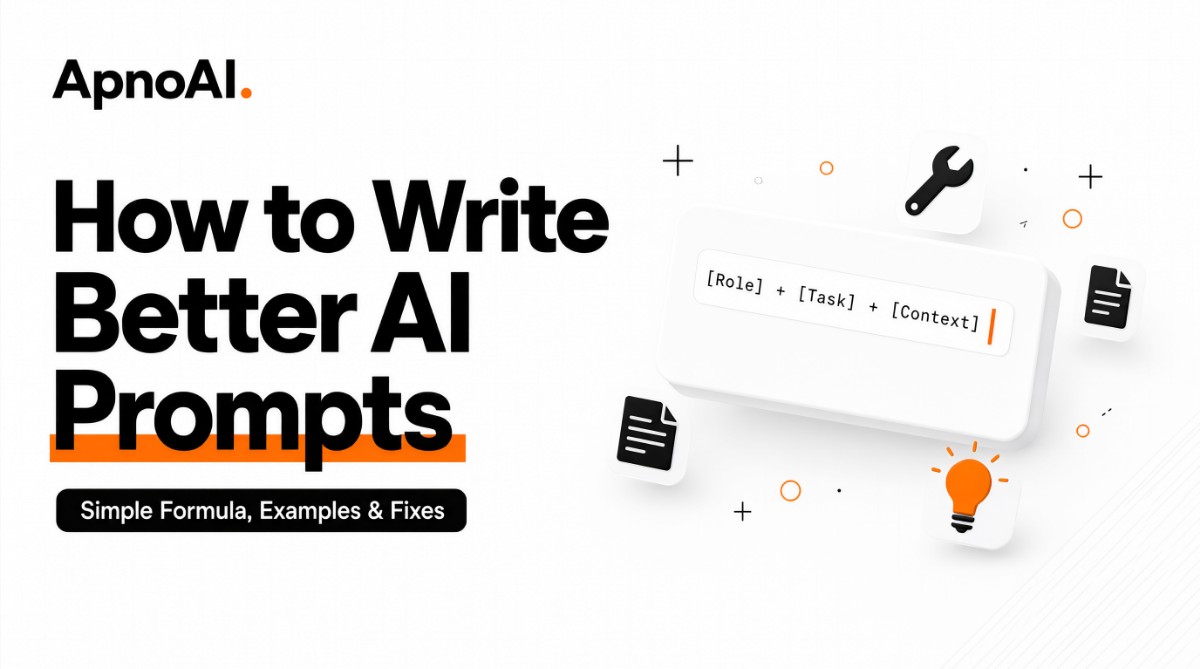
How to Write Better AI Prompts: Simple Formula, Examples & Fixes
A better AI prompt gives the AI a clear goal, useful background, output format, and simple limits.
Most weak AI answers happen because the prompt is too broad, unclear, or missing important details.
APNOAI simple formula: Goal, Context, Format, Constraints, Example, Verify.
You do not need fancy words. You need clear instructions.
Always check important facts, code, numbers, and citations before using the AI answer.
Why Bad Prompts Give Bad Answers
Many people think AI gives bad answers because the AI tool is weak. But in many cases, the real problem is the prompt.
A prompt is the instruction you give to the AI. If the instruction is unclear, the answer will also become unclear.
For example, if you ask:
“Tell me about study.”
The AI does not know what you want. Do you want study tips? A study plan? A study method? A study schedule? A study motivation answer?
Because the prompt is broad, the AI gives a broad answer.
Now compare it with this:
“Give me a simple study plan for a college student who has 2 hours per day and wants to improve exam preparation.”
This prompt is better because it tells the AI:
Who the answer is for
How much time is available
What the goal is
What type of answer is needed
A good prompt does not ask the AI to guess. It gives the AI clear direction.
If you want to learn how to write better AI prompts, start with one simple rule:
Reduce confusion before you ask for creativity.
AI works best when it knows what you want, who it is for, and how the answer should look.
Real Problems Users Face With Weak Prompts
Before learning the formula, let’s look at the real problems students, beginners, and professionals face when using AI tools.
Problem | Why It Happens | Better Move |
AI gives vague answers | The prompt does not define the goal. | Say exactly what you want. |
Assignment answer does not match requirements | Word limit, format, or subject level is missing. | Add length, tone, and structure. |
Code looks fine but fails | Language, input, output, and edge cases are missing. | Specify language and test cases. |
Research answer feels unsafe | AI may create unsupported citations or facts. | Ask for concepts and verify sources. |
Answer is too long or too short | The prompt does not set length limits. | Mention the required length. |
User copies the answer blindly | No verification step is used. | Check facts, code, and numbers. |
These problems are common, but they are easy to reduce when you use a clear prompt structure.
APNOAI rule: Do not blame the AI immediately. First check whether your prompt gave enough direction.
The APNOAI Prompt Formula
To make prompt writing simple, use the APNOAI Prompt Formula.
It has six parts:
Goal + Context + Format + Constraints + Example + Verify
You do not need all six parts in every prompt. But for important tasks, this formula works very well.
Part | What It Means | Simple Example |
Goal | What result do you want? | “Explain this topic.” |
Context | Who is it for? What is the situation? | “For a beginner student.” |
Format | How should the answer look? | “Use bullet points.” |
Constraints | What limits should the AI follow? | “Use simple words.” |
Example | Do you have a style or sample to follow? | “Answer like this sample.” |
Verify | What needs checking before use? | “Check facts and sources.” |
This formula is simple, but it changes the quality of your AI answers.
Quick tip: For small questions, Goal and Format may be enough. For important tasks, use the full APNOAI formula.
Step 1: Start With a Clear Goal
The first part of a good prompt is the goal. The goal tells the AI what you actually want.
A weak goal is broad:
“Help me with English.”
A clear goal is specific:
“Give me 5 simple ways to improve English speaking for a beginner.”
The second prompt is easier for the AI to answer because it knows the topic, audience, and expected number of points.
When writing your goal, ask yourself:
What exactly do I want?
Do I want an explanation, list, code, plan, or comparison?
What is the main result I need?
Step 2: Add Useful Context
Context gives background information. It helps the AI understand your situation.
For example:
“I am a first-year college student and I am new to programming.”
This small line helps the AI adjust the answer to your level.
Without context, the AI may give an answer that is too advanced, too basic, or not useful for your situation.
Useful context can include:
Your level: beginner, intermediate, or advanced
Your purpose: study, job, assignment, coding, research
Your audience: school student, college student, client, teacher
Your limit: time, word count, tools, budget
Context should be useful, not unnecessary. Add only details that change the answer.
Step 3: Define the Output Format
The format tells the AI how the answer should look.
Do you want:
Bullet points?
A table?
A short paragraph?
A step-by-step guide?
Code?
An outline?
A comparison?
If you do not define the format, the AI may choose a format that does not work for you.
Example:
“Give the answer in 5 bullet points. Keep each point under 15 words.”
This is much clearer than saying:
“Give a short answer.”
“Short” can mean different things to different people. Format removes that confusion.
Step 4: Use Simple Constraints
Constraints are limits. They help the AI stay focused.
Examples of constraints:
“Use simple English.”
“Avoid technical words.”
“Do not repeat the same point.”
“Keep it under 200 words.”
“Do not invent citations.”
“Use only beginner-level examples.”
Constraints are very useful because they stop the AI from going in the wrong direction.
Important: Constraints should be clear and possible. Too many conflicting constraints can confuse the output.
Step 5: Give an Example When Needed
Sometimes the easiest way to explain what you want is to show an example.
For example, if you want the AI to write in a certain style, you can say:
“Write in a simple educational style, like a friendly teacher explaining a topic to a beginner.”
If you want a specific output pattern, you can show a small sample:
“Use this format: Question, Simple Answer, Example.”
Examples help the AI understand your expectation faster.
Step 6: Verify Before You Use
This is the step most people skip.
AI can give useful answers, but it can also make mistakes. It may give wrong facts, outdated information, broken code, or unsupported citations.
So before using an important AI answer, verify it.
Check these things:
Are the facts correct?
Is the information current?
Does the code run?
Are the calculations correct?
Are the sources real?
Is the answer safe and appropriate for your use case?
APNOAI safety rule: Do not use AI answers as final proof for medical, legal, financial, exam-critical, or official decisions without checking trusted sources.
The APNOAI Prompt Flow
Better prompting is a loop. You write, check, improve, and verify.
flowchart TD
    A[Write Prompt] --> B[Use APNOAI Formula]
    B --> C[Get AI Answer]
    C --> D{Is the answer useful?}
    D -->|Yes| E[Verify Important Parts]
    D -->|No| F[Improve Prompt]
    F --> A
    E --> G[Use With Care]
This flow helps you avoid the biggest mistake: accepting the first AI answer as final.
Quick Prompt Check Before Sending
Before you send any important prompt, take five seconds and check these points.
5-Second APNOAI Check
☐ Is my goal clear?
☐ Did I add useful context?
☐ Did I mention the format?
☐ Did I add simple limits?
☐ Do I need to verify the answer?
This small habit can save you from weak, confusing, or unsafe AI answers.
What Makes a Prompt Good?
A good prompt is not always long. It is clear, useful, and focused.
Quality | What It Means | Example |
Clear | The AI knows what you want. | “Explain in 3 simple points.” |
Useful | The prompt includes helpful details. | “For a beginner student.” |
Focused | The prompt avoids too many mixed tasks. | “First create an outline.” |
Safe | The prompt avoids risky or fake claims. | “Do not invent sources.” |
APNOAI Simple Prompt Roadmap
If you are a beginner, follow this roadmap:
Goal
Context
Format
Constraints
Verify
This roadmap is enough to start writing better prompts immediately.
APNOAI note: A strong prompt is not about using perfect English. It is about giving the AI enough useful information to help you properly.
How to Fix Real AI Prompt Problems
The best way to learn how to write better AI prompts is to solve real problems. Most users do not need theory. They need answers that are clearer, safer, and more useful.
Below are common search problems and the APNOAI fix for each one.
Real Problem | What the User Wants | APNOAI Fix |
AI answer is too general | A focused answer for a specific need | Add audience, goal, and format. |
Assignment answer feels off | A response matching subject level and structure | Add word limit, format, and academic level. |
Code does not work | Working code with clear logic | Specify language, input, output, and test cases. |
Research answer feels risky | Safe guidance without fake sources | Ask for concepts and search terms, then verify. |
Answer is too long | A short and clean response | Add length limits and bullet format. |
AI gives outdated information | Current and reliable details | Check official or current sources manually. |
These fixes are simple, but they work because they remove guesswork. The less the AI has to guess, the better your answer becomes.
APNOAI insight: Most prompt problems are not language problems. They are clarity problems.
Before and After Prompt Examples
Now let’s improve real prompts. This section shows weak prompts, the problem in them, and better versions.
Weak Prompt | Problem | Better Prompt |
“Explain computer.” | Too broad and unclear. | “Explain what a computer is in 5 simple points for a beginner student.” |
“Write assignment on health.” | No topic focus, length, or structure. | “Write a 250-word school assignment on healthy habits with introduction, benefits, and conclusion.” |
“Give Python code.” | No task, input, or output. | “Write a Python function to find the largest number in a list. Include sample input and output.” |
“Give research paper.” | High risk of fake or unsupported citation. | “Explain the topic and give search terms I can use to find reliable sources. Do not invent citations.” |
“Help me prepare.” | No goal, subject, or format. | “Ask me 5 basic interview questions for a beginner web development internship. Give feedback after each answer.” |
The better prompts are not complicated. They simply give the AI enough information to respond in the right direction.
APNOAI Prompt Scorecard
Before using a prompt for an important task, score it out of 10. This helps you improve weak prompts quickly.
Check | Points | What to Do |
Goal is clear | 0-2 | Say exactly what result you want. |
Context is useful | 0-2 | Add audience, level, or situation. |
Format is defined | 0-2 | Ask for bullets, table, code, or steps. |
Constraints are added | 0-2 | Set length, tone, or limits. |
Verification is considered | 0-2 | Check facts, code, or sources before use. |
For small tasks, a score of 6 may be enough. For important tasks, aim for 8 or more.
APNOAI habit: If your prompt scores low, improve one part at a time. Start with goal, then add format, then add context.
Real Use Cases: Prompts You Can Adapt
1. For Students: Learn a Topic Faster
Students often ask AI to explain topics, but the answer becomes too long or too technical. Use this structure:
“Explain [topic] to a beginner student in 5 simple points. Use easy words and give one example.”
This prompt works because it sets level, length, and style.
2. For Assignment Planning
AI can help you plan and structure an assignment, but you should still follow your institution’s rules and do your own final work.
“Create a simple outline for an assignment on [topic]. Include introduction, 3 main sections, and conclusion. Keep it suitable for a school student.”
Academic safety: Use AI for planning, learning, and improvement. Do not submit AI-generated work as your own if your institution does not allow it.
3. For Coding Help
Coding prompts need technical clarity. Without language, input, and expected output, the AI may give generic code.
“Write a Python function to solve this problem: [problem]. Include sample input, expected output, and explain the logic in simple steps.”
Code rule: Always run the code. Test normal input, empty input, and edge cases when possible.
4. For Safe Research Help
For research, avoid asking AI to create citations. Instead, use it to understand concepts and plan your search.
“Explain the main ideas of [topic]. Give reliable search terms I can use. Do not invent papers, authors, or statistics.”
Research warning: If you cannot open and verify a source, do not use it as evidence.
5. For Internship and Job Preparation
AI can act like a practice partner for interviews, resume improvement, and skill building.
“Act as an interviewer for a beginner role in [field]. Ask me 5 simple questions one by one. After each answer, suggest improvements.”
This creates an interactive learning session instead of a generic answer.
Common Prompt Mistakes and Simple Fixes
Many users repeat the same mistakes. Here are the most common ones and how to fix them.
Mistake | Why It Fails | Simple Fix |
Asking too broadly | The AI does not know your exact need. | Add goal and audience. |
Putting too many tasks in one prompt | The answer becomes unfocused. | Split the task into steps. |
No output format | The answer may look messy. | Ask for bullets, table, or steps. |
Asking for fake evidence | AI may generate unsupported citations. | Ask for search terms and verify sources. |
Trusting the first answer | The first response may be incomplete. | Ask for improvements and verify. |
Sharing personal details | Privacy risk. | Use general information only. |
Advanced Prompt Habits That Improve Results
Once you know the basics, these habits can make your prompts stronger.
1. Ask the AI to ask questions first.
This helps when you are not sure what information is missing.
“Before answering, ask me 5 questions that will help you give a better response.”
2. Break big tasks into small steps.
Do not ask for everything at once. Start with an outline, then expand each part.
flowchart TD
    A[Big Task] --> B[Ask for Outline]
    B --> C[Expand One Section]
    C --> D[Improve Output]
    D --> E[Verify Important Parts]
    E --> F[Finalize]
3. Ask for assumptions.
This helps you understand what the AI may be guessing.
“List the assumptions you are making in this answer.”
4. Ask for missing information.
This is one of the fastest ways to improve an answer.
“What important information is missing from this answer?”
5. Ask for multiple versions.
This is useful for writing, study notes, and explanations.
“Give me 3 versions: simple, detailed, and exam-focused.”
APNOAI Prompt Templates
You can copy these templates and replace the bracketed part with your own topic.
Template 1: Learn Any Topic
“Explain [topic] to a beginner in simple words. Use 5 short points and one example. Avoid difficult terms.”
Template 2: Assignment Outline
“Create a clear assignment outline on [topic]. Include introduction, main sections, and conclusion. Keep it suitable for [level].”
Template 3: Safe Research Planning
“I want to understand [topic] for research. Explain the main concepts, give search terms, and do not invent citations or statistics.”
Template 4: Coding Task
“Write code in [language] for this task: [task]. Include sample input, expected output, and a short explanation.”
Template 5: Interview Practice
“Act as an interviewer for [role]. Ask beginner-level questions one by one and give feedback after each answer.”
APNOAI Prompt Practice Roadmap
Use this roadmap every time you write an important prompt.
Write Clear Goal
Say what you want.
Add Context
Say who it is for.
Set Format
Choose output style.
Apply Limits
Add length and tone.
Test and Verify
Check before using.
How to Use AI Safely and Responsibly
Better prompts are not only about getting smarter answers. They are also about using AI safely.
Do not share personal passwords, private documents, or sensitive information.
Do not use AI to create fake evidence, fake citations, or misleading claims.
Do not submit AI-generated work as your own if it is against your institution’s rules.
Do not trust medical, legal, or financial advice from AI without professional verification.
Do not assume current information is correct without checking official sources.
Final safety rule: AI can help you think faster, but you remain responsible for the final decision.
Frequently Asked Questions
1. How long should a good prompt be?
A good prompt should be long enough to explain the goal, context, format, and limits. It does not need to be very long. Clarity is more important than length.
2. Can better prompts stop all AI mistakes?
No. Better prompts reduce mistakes, but they cannot remove all risks. Important facts, code, numbers, and sources should still be verified.
3. Should I use role-based prompts?
Yes, role-based prompts can be useful. For example, “Act as a teacher” or “Act as an interviewer” can guide the tone and style of the answer.
4. What is the fastest way to improve an AI prompt?
Add format and audience. For example, say who the answer is for and how you want the answer to appear.
5. How can I avoid fake citations?
Do not ask AI to generate citations blindly. Ask for concepts and search terms, then find and verify original sources yourself.
6. Is prompt writing useful for students?
Yes. Students can use better prompts for study explanations, assignment planning, revision questions, coding help, and research preparation.
7. Is prompt writing useful for jobs and internships?
Yes. Many practical AI tasks need clear instructions. Good prompt writing helps users get more controlled and useful results.
8. What is the APNOAI Prompt Formula?
It is a simple structure: Goal, Context, Format, Constraints, Example, and Verify. It helps users write clearer and safer AI prompts.
Better AI prompts are clear, focused, and easy to understand.
A weak prompt often creates a weak AI answer.
The APNOAI Prompt Formula is Goal, Context, Format, Constraints, Example, and Verify.
Before sending a prompt, check the goal, audience, format, and limits.
For coding, mention language, input, output, and test cases.
For research, avoid fake citations and verify original sources.
For assignments, use AI as a helper and follow academic rules.
Always verify important information before using it.
Conclusion
Learning how to write better AI prompts is not about using complicated words. It is about giving the AI clear direction.
When your prompt has a clear goal, useful context, proper format, simple limits, and a verification step, the quality of the answer improves naturally.
Use the APNOAI Prompt Formula for important tasks. Fix weak prompts step by step. Avoid fake evidence. Test code. Check current information. And never treat the first AI answer as final without review.
That is how you use AI with clarity, safety, and practical value.